AllMyNotes Organizer
  • Home
  • Products
    • AllMyNotes Organizer
    • AllMyNotes Organizer
    • About AllMyNotes Organizer
    • Features
    • Screenshots
    • Download
    • Buy Deluxe Edition
    • Links
    • Deflect One
    • Deflect One
    • Screenshots
    • ♥ Sponsor our projects
  • Support
    • General
    • Forum
    • User Dashboard
    • Contact
    • AllMyNotes Organizer
    • FAQ
    • Online Manual
    • License Restore
    • Activation Request/Demo
    • Check License Status
    • Deflect One
    • About Deflect One
  • About Us
  • EN
    • English
    • French (Français)
    • German (Deutsch)
    • Ukrainian (Українська)
    • Russian (Русский)
    • Chinese Simplified (简体中文)
    • Spanish (Español)
    • Portuguese (Português)
    • Japanese (日本語)
    • Korean (한국어)
    • Vietnamese (Tiếng Việt)
    • Polish (Polski)
    • Light
    • Honey
    • Mint
    • Sky
    • Platinum
    • Paper & Ink
    • Campus
    • Navy
    • Slate
    • Library
    • High contrast
    • Dark
    • Graphite
    • Midnight
    • Chalkboard
    • Fjord
    • Dim
    • Twilight
    • Moss
    • Cyber Lime
    • High contrast
    • Auto (as in system)
    Login
📒AllMyNotes OrganizerKnowledge organizer
What is AllMyNotes? Features Screenshots Download Activate Deluxe Now! Links
Home › AllMyNotes Organizer › Screenshots

AllMyNotes Organizer - Screenshots

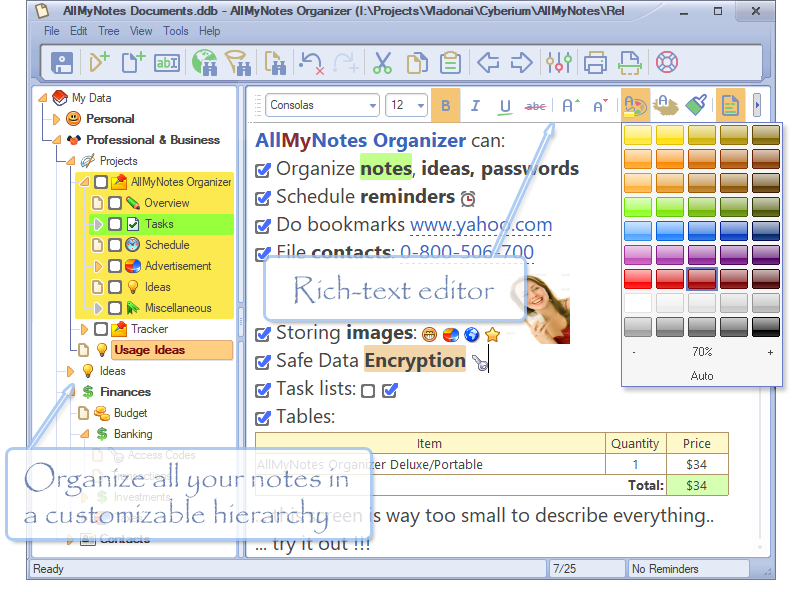
AllMyNotes Organizer Main Window - Build all your thoughts in adjustable folders hierarchy

AllMyNotes Organizer Main Window - Build all your thoughts in adjustable folders hierarchy - (All-My-Notes Organizer app Screenshot)

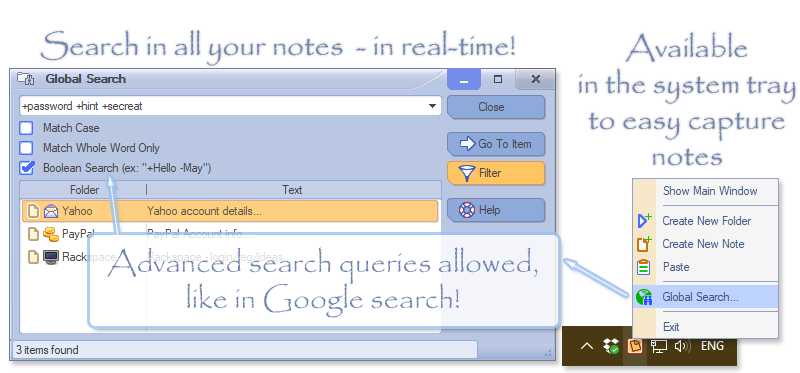
With All My Notes you can search in your documents instantly, search result is shown immediately, as-you-type, in real-time! The app can be hidden in to the system Tray, for your convenience

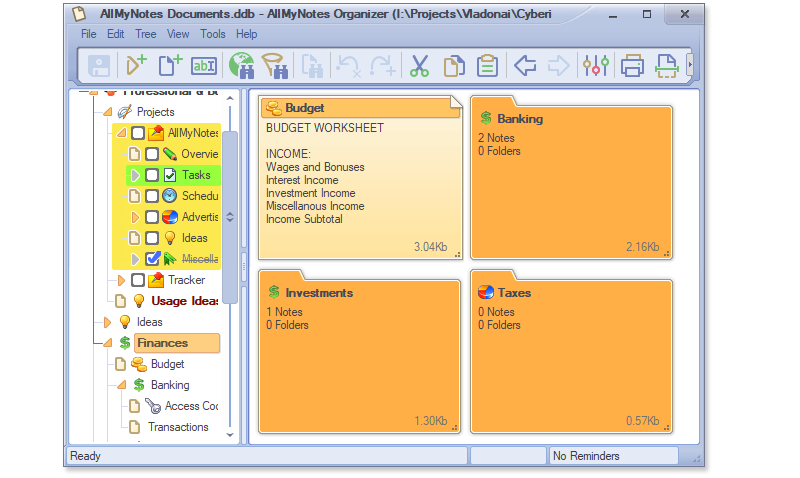
Folder Screen - See preview of all your docs with single look - to start editing the note simply double-click on it

Folder Screen - See preview of all your docs with single look - to start editing the note simply double-click on it - (All-My-Notes Organizer app Screenshot)

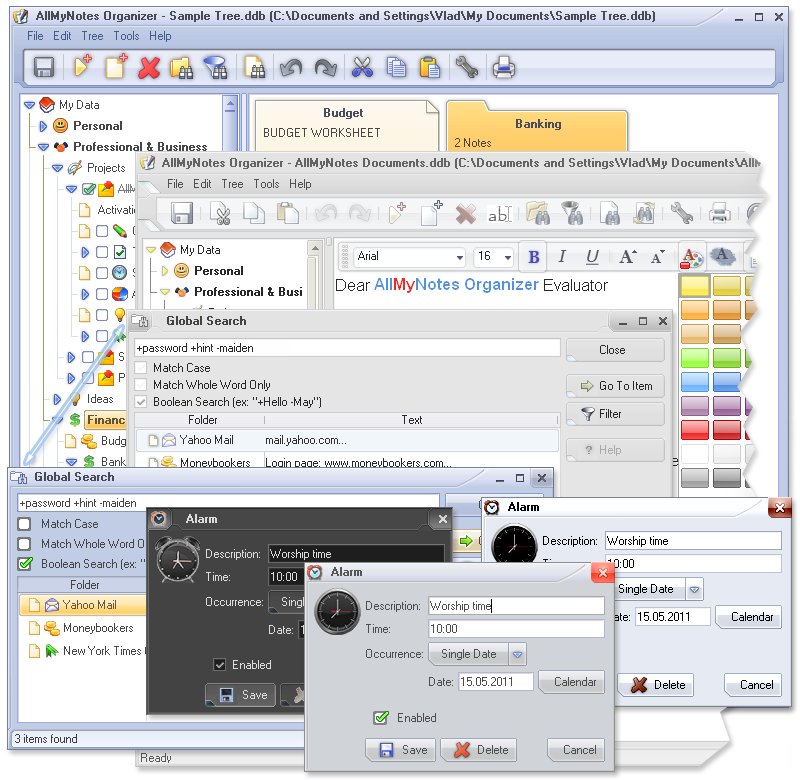
We support skins! Change look and feel of AllMyNotes Organizer by selecting preferred Skin!

We support skins! Change look and feel of AllMyNotes Organizer by selecting preferred Skin! - (All-My-Notes Organizer app Screenshot)

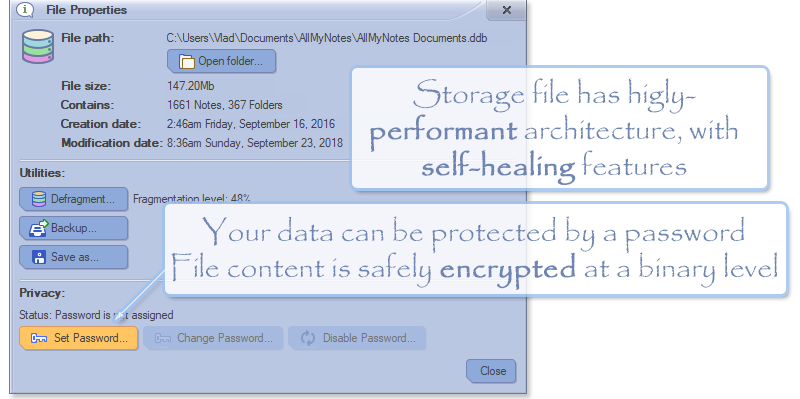
Keep your sensitive information in well encrypted and blazing fast storage file

Keep your sensitive information in well encrypted and blazing fast storage file - (All-My-Notes Organizer app Screenshot)

The app is done with love, it does exactly what you need, and when you need it! Love what you are doing! :}


Site Map
  • Products
  • What is AllMyNotes Organizer
  • Features
  • Screenshots
  • Buy Deluxe edition
  • Use Voucher
  • AllMyNotes Organizer
  • Download
  • What's New?
  • Download Dictionaries
  • Beta Builds
  • Compare Editions
  • Support
  • Forum
  • Contact Us
  • FAQ
  • Online Manual
  • User Dashboard
  • License Restore
  • Activation Request/Demo
  • Check License Status
  • Company
  • About Us
  • Jobs
  • Our Awards
  • Credentials
  • Affiliates
  • PressRSS
  • Privacy Policy
© 2009-2026 Vladonai Software LLC · All rights reserved.