AllMyNotes Organizer - Outliner with unlimited hierarchy, drag-and-drop, rich text - encrypted, offline, no subscription.
Writers, researchers, lawyers - anyone who structures complex work needs an outliner that doesn't get in the way. AllMyNotes Organizer offers unlimited nesting, drag-and-drop reorganization, rich text editing, and 1800-bit encryption - all in one local file on your PC.
No cloud. No account. One-time purchase. A solid OneNote alternative for those who want structure without the Microsoft account.






Unlimited nesting, drag-and-drop, icons - build any structure you need.
Create parent-child hierarchies with no depth limit. Drag entire branches to reorganize. Assign custom icons and background colors for visual navigation. Set priorities and checkboxes on outline items. Expand or collapse any level with a single click - focus on the section you're working on without hiding others permanently.

Rich text inside every outline node - images, tables, file attachments.
Each node in your outline is a full rich text document: bold, italic, headings, colored text, tables, inline images, and file attachments. Create internal links between nodes - cross-reference chapters, evidence files, or research sources. Write inside the outline, not alongside it.

Instant search + portable - find anything, take it anywhere.
Search across your entire outline structure - as you type, in real time, with boolean operators. Results filter the tree directly. The Portable version runs from a USB stick: take your complete outline to any Windows PC without installing anything. Your encrypted outline in your pocket.
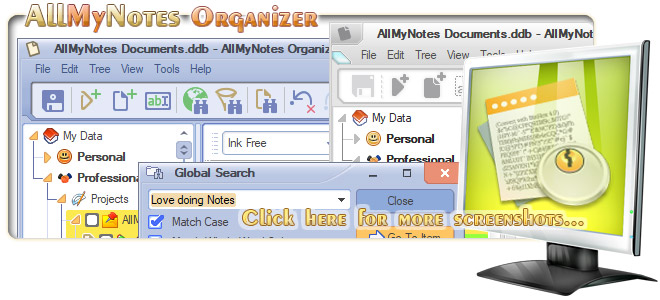
The best outliner is one that gets out of the way - and keeps your outline encrypted offline.
Writers and researchers who use outliners want one thing: to think freely without software friction. AllMyNotes Organizer gives you unlimited nesting, drag-and-drop reordering, priorities, and icons for nodes - everything you need to build a complex outline and actually navigate it. |


System Requirements:

Keywords: AllMyNotes outliner software, OneNote alternative outliner offline, Encrypted outliner Windows PC, Hierarchical outliner offline Windows, Outliner app no cloud Windows, Outliner no subscription Windows, Outliner software one-time purchase, Outliner tool writers Windows, Personal outliner software encrypted, Tree outliner Windows offline, Outliner software Windows.
Similar: PIM (Personal Information Manager), Outliner App, Notebook Program, Diary Keeping Software for Win, Notes Mgmt App, Software to store Secret Notes, Notetaking tool.