AllMyNotes Organizer - Perfect Cornell Note Taking Solution for Windows.
Implement the Cornell Method digitally - right on your Windows computer, offline and private.
Organize your notes the proven way: Cues, Notes, and Summary - all in one encrypted file.




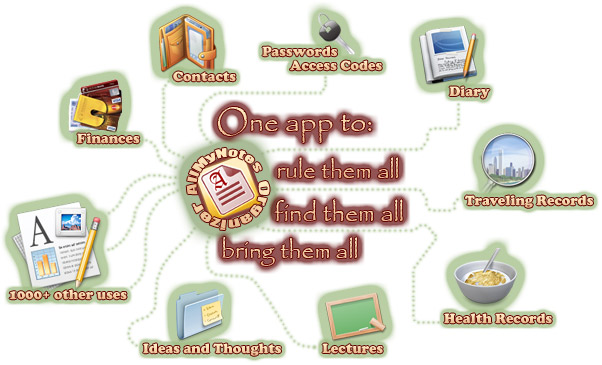

Effortless Cornell Setup.
No apps to configure, no cloud account to create. AllMyNotes Organizer works straight out of the box - set up your Cornell layout in minutes using tables or the built-in tree structure. Your study notes stay on your PC, encrypted, private, and always accessible without internet.

Secure Study Notes.
Your lecture notes are yours alone - just set a password and AllMyNotes Organizer encrypts everything with AES-256 + ChaCha22 protection. No cloud sync, no account, no one watching your notes.

Powerful Technology - No Internet Needed.
Instant search - no internet needed. Turbocharged local data engine - all data lives on your PC. Portable version available - works on any PC without installing. Export to RTF. 13+ languages, skins.
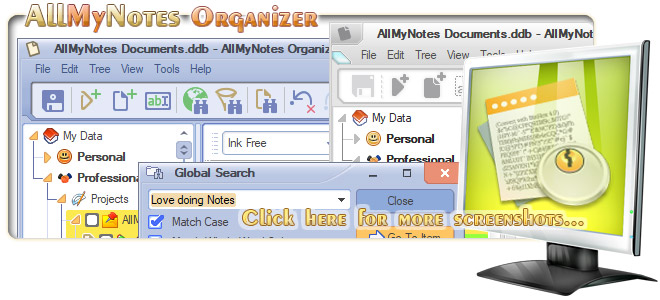
Cornell System Application in AllMyNotes Organizer
The Cornell Note-Taking System was developed by Walter Pauk in the 1950s and confirmed by Wichita State University research in 2008 as superior for information recall compared to standard methods. |


Minimum Requirements:
Search Terms: Cornell learning method, Cornell method computer solution, Cornell notes app Windows, Cornell notetaking method for PC, Cornell notetaking software, Cornell system app, Digital cornell notes, Download cornell note-taking software, Efficient cornell note-taking solution, Cornell notes tool for Windows.
Siblings: All-My-Notes Organizer, PIM (Personal Info Manager), Portable Diary App, Daily Journal, Daily Planner, Note making, Information Mgmt.